
Anime Astral Simulator Discord — official community hub
The Anime Astral Simulator Discord server is where Astral Team drops patch notes, milestone codes, and hotfix context before third-party wikis catch up. This page lists the verified invite, what each channel is for, and how to pair Discord alerts with our codes and update guides.
Anime Astral Simulator is a fast-moving Roblox gacha brawler — Update 6 added Hueco Mundo, Zanpakuto crafting, and Soul Raid, then Update 6.1 shipped Ki evolution tweaks plus fresh codes UPDATE6.1 and KIEVOLUTION within days. Discord is the first place many players see those strings, especially when CCU milestones trigger BACKTOASTRAL-scale rewards.
This unofficial wiki mirrors verified codes on /guides/codes/ after cross-checking Gamerant and in-game redemption. Discord remains the live feed; the wiki remains the structured reference with copy-ready tables and redeem steps.
Astral Team also maintains the public Trello board linked from our Trello guide — use Discord for time-sensitive pings and Trello for static stat tables when both disagree after a patch.
Sponsored
Anime Astral Simulator community — quick overview
Short overview of why players join Anime Astral Simulator Discord for codes, squad help, and update news.
Verified Anime Astral Simulator links
Bookmark these entry points — especially the Discord invite — before hunting codes or trading tips.
| Channel | Purpose | Link |
|---|---|---|
| Discord server | Codes, patch notes, LFG | discord.com/invite/animeastralsimulator |
| Roblox game page | Play + Social Links tab | Roblox Anime Astral Simulator |
| Codes wiki | Copy-ready active table | /guides/codes/ |
| Trello board | Stats, pets, weapons | /guides/trello/ |
| Update 6 guide | Hueco, Zanpakuto, Soul Raid | /guides/update-6-guide/ |
How to join Anime Astral Simulator Discord
Step 1 — open the official invite: discord.com/invite/animeastralsimulator (full URL: https://discord.com/invite/animeastralsimulator). You can also tap Social Links on the Roblox experience page if Discord is listed there.
Step 2 — open Browse Channels → Customize and follow the Info and Updates categories. Read rules first, then pick up notify-roles so announcement pings reach you without watching every chat channel.
Step 3 — verify you landed in the correct server. The game name should match Anime Astral Simulator by Astral Team, not unrelated anime simulators with similar thumbnails.
Step 4 — link back here when codes drop: redeem on a fresh Roblox server after hotfixes, then cross-check rewards against our codes guide so typos do not waste a redemption attempt.
What Anime Astral Simulator Discord is used for
Milestone & patch codes
Developers drop strings when CCU, favorites, or update fixes ship — UPDATE6.1 and KIEVOLUTION arrived hours after the 6.1 patch. Follow the news and updates announcement channels; use notify-roles for staff-only pings.
Hotfix context
When redemption fails after a patch, Discord often explains rejoin-server fixes before media blogs update. Pair alerts with our Update 6 guide for Hueco and Zanpakuto progression.
Squad & trade talk
Find players for Soul Raid, Fire Force dungeon, or world boss farms. Share squad multipliers — not account credentials — when recruiting.
Tier & banner discussion
Community debates fighter and pet investments after each update. Cross-check hype against our fighter tier list and pet tier list before spending saved F2P Tickets.
Code announcements on Anime Astral Simulator Discord
Anime Astral Simulator codes rotate quickly during update weeks. The July 2026 pattern: a large Update 6 batch (BACKTOASTRAL at 5,000 F2P Tickets, UPDATE6RELEASE, milestone strings), hotfix codes UPDATE6FIXES and UPDATE6EXTRAFIXES within 24 hours, then Update 6.1 codes UPDATE6.1 and KIEVOLUTION on July 18.
Discord posts usually arrive before aggregator sites refresh. When you see a new string, redeem immediately on a newer server, then confirm the reward table on our codes wiki — case sensitivity matters, especially for codes with punctuation like !ASTRAL40KCCU!.
Ignore DM code generators, script sellers, and “free Robux” funnels. Astral Team distributes codes through official Discord announcements and Roblox milestones only.
- Redeem BACKTOASTRAL first (5,000 tickets), then UPDATE6.1 and KIEVOLUTION, then the rest of the Update 6 batch.
- Bookmark /guides/codes/ — we verify against Gamerant after each wave (last checked July 18–20, 2026).
- Expired milestone codes from pre–Update 6 culls rarely work — see the disputed list on the codes guide.
Anime Astral Simulator Discord channel guide
The Anime Astral Simulator Fans server groups channels into Info, Giveaways, and Updates. Use Browse Channels → Customize to follow only what you need — channels with unread mentions still show even when hidden.
For codes and patch news only, follow the Info and Updates categories below and mute the rest. The FAQ forum is searchable when you hit a progression wall; the locked anime-astral-ofc channel is staff-facing official content.
Giveaway channels (10k-robux, 100k-robux, payouts) are community promos — never send Roblox passwords or “verification” links to claim prizes. Astral Team codes still arrive through news and updates announcements, not DM bots.
Useful Discord channels by category
Channel names match the July 2026 Anime Astral Simulator Fans layout (38 channels total). Stylized prefixes may differ slightly in-app.
| Category | Channel | What it is for |
|---|---|---|
| Info | news (📣) | Main announcements — codes, maintenance, and server news (most active for players) |
| Info | notify-roles (🔔) | Pick notification roles so code/update pings reach you without @everyone spam |
| Info | rules (📕) | Server rules — read before posting or applying for staff |
| Info | staff-apps (💼) | Apply for moderation — not required for codes or LFG |
| Info | server-boosts (🚀) | Nitro boost perks and boost milestones |
| Info | anime-astral-ofc (🔒) | Locked official channel — verified staff posts only |
| Info | faq (📖 forum) | Searchable FAQ threads — 28+ active posts; good for quick mechanics questions |
| Updates | updates (💎) | Game update posts — patch notes, hotfix context, Update 6 / 6.1 news |
| Giveaways | payouts (💎) | Giveaway payout coordination — treat DMs as scams unless staff-verified |
| Giveaways | 10k-robux (💎) | Community Robux promos — not official Astral Team code drops |
| Giveaways | 100k-robux (💎) | High-value promo channel — same scam rules as above |
Which channels to follow (codes-only setup)
Minimum for code hunters: follow Info → news, Updates → updates, and Info → notify-roles so you can opt into announcement roles. Mute Giveaways unless you actively enter promos.
When a new string appears in news or updates, redeem on a fresh Roblox server, then confirm rewards on our codes wiki — case sensitivity matters for codes like !ASTRAL40KCCU!.
For structured progression (Hueco, Zanpakuto, ticket spends), pair Discord alerts with wiki guides: beginner guide for day-one routes, Update 6 guide for World 10, fighter and pet tier lists before spending saved tickets.
- Codes first: news + updates + notify-roles
- Questions: faq forum before general chat scroll
- Safety: ignore giveaway DMs asking for Roblox login
- Anime Astral Simulator codes wiki
Pair Anime Astral Simulator Discord with this wiki
| Question type | Best source |
|---|---|
| Brand-new code string | Discord first → codes wiki second |
| Redeem steps & copy table | Codes wiki |
| Hueco / Zanpakuto unlock order | Update 6 guide |
| Fighter investment ranking | Fighter tier list |
| Pet & Divine priorities | Pet tier list |
| Trello stat numbers | Trello guide |
| Gamepass ticket order | Gamepass tier list |
Stay safe in Anime Astral Simulator communities
Scammers target popular Roblox anime games with fake Discord invites, script hubs, and phishing DMs. Only join through discord.com/invite/animeastralsimulator or the Roblox Social Links tab — not random YouTube comment links.
Giveaway channels (10k-robux, 100k-robux, payouts) are not where official game codes ship. Real milestone strings land in news and updates — never share Roblox passwords or “verify to claim Robux” links.
Never download “code executors” or “free ticket generators.” They risk account bans and malware. Astral Team does not distribute tickets through external websites.
Trading accounts or sharing passwords violates Roblox Terms of Use. Use Discord for advice and LFG, not credential exchange.
If an invite URL differs by even one character from the official slug, leave the server and report impersonation to Discord trust & safety.
Anime Astral Simulator Discord FAQ
What is the official Anime Astral Simulator Discord? The verified invite is discord.com/invite/animeastralsimulator — also linked from the Roblox Social Links tab and Astral Team Trello. Bookmark that URL instead of searching Discord discovery.
Where do new Anime Astral Simulator codes drop first? Watch the Info category — especially the news announcement channel and the Updates category updates channel. Turn on notify-roles for code pings, then cross-check strings on our codes wiki before redeeming.
Is Anime Astral Simulator Discord the same as generic anime Roblox servers? No. Only the Astral Team invite above is official for this game. Impersonator servers copy similar names — verify the invite slug character-for-character.
Do I need Discord to play Anime Astral Simulator? No — the game runs entirely on Roblox. Discord is optional for code alerts, patch context, and squad LFG during updates.
How do I stay safe in Anime Astral Simulator Discord? Never share your Roblox password, one-time codes, or cookie tokens in DMs. Staff will not ask you to log into third-party verification sites.
Related guides
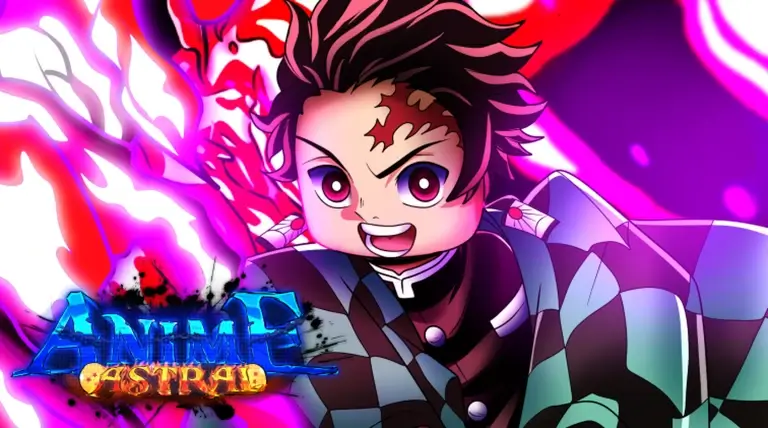
Anime Astral Simulator Codes
All active Roblox codes — UPDATE8UPDATE8, FIXEDINDEX, LIONKINGDOM, UPDATE8, and redemption steps.
Updated August 9, 2026
Read guide →Anime Astral Trello
Official board — worlds, pets, weapons, upgrades, and game modes synced from Astral Team.
Live board
Read guide →Beginner Guide
Daily chests, World 1 loop, doujutsu, and Time Trials for your first session.
First hour · new players
Read guide →Update 6 Guide
Hueco Mundo, Zanpakuto craft, Soul Raid, Soul Artifacts, and Update 6 codes.
Update 6 · Hueco Mundo
Read guide →Unofficial fan guide — not affiliated with Astral Team or Roblox. Verify codes and stats in-game after patches.